
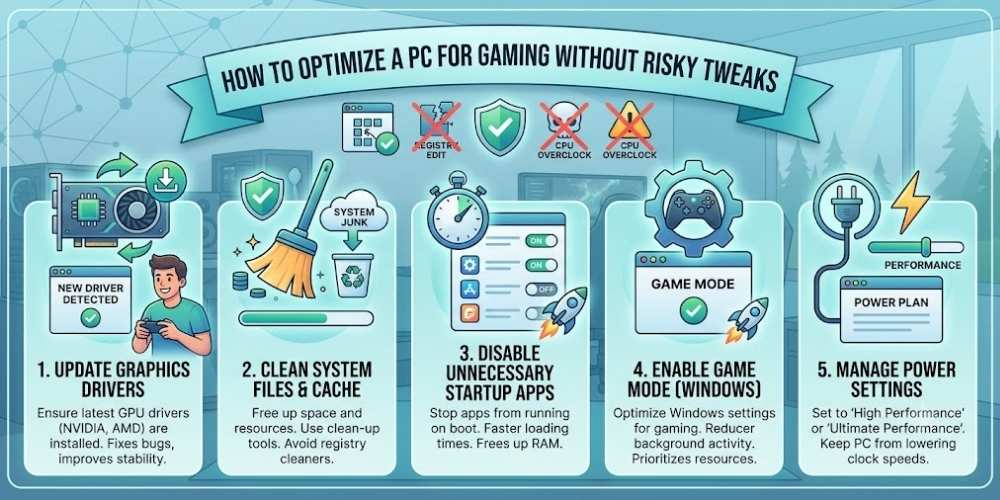
How to Optimize a PC for Gaming Without Risky Tweaks
Optimize a gaming PC safely with updates, startup control, storage management, cooling, game settings, drivers, and performance monitoring.
Key Takeaways
- Use official updates and drivers.
- Reduce unnecessary background activity.
- Monitor temperature and storage health.
- Measure changes and avoid risky tweaks.
Update Carefully
Install operating-system and graphics updates from official sources.
Avoid unofficial driver packages and random optimization utilities.
Control Startup Applications
Disable unnecessary startup programs to reduce background resource use.
Keep security, input, audio, and hardware-management tools enabled when required.
Manage Storage
Keep adequate free space on the system drive and remove unused applications.
Install frequently played games on fast storage when possible.
Check Temperatures
High temperatures can reduce sustained performance and component life.
Clean dust, ensure airflow, and monitor temperatures during demanding games.
Tune Game Settings
Lower the settings that have the largest performance cost before reducing everything.
Upscaling, dynamic resolution, and frame-rate limits can improve consistency.
Measure Before and After
Use the same scene or benchmark to compare changes.
Avoid registry hacks, unsafe voltage changes, and software that promises unrealistic gains.
Practical Buying Checklist
- Define the main problem you want to solve.
- Set a realistic budget including accessories and service costs.
- Compare independent tests instead of relying only on advertising.
- Check warranty, update policy, repair options, and return terms.
- Choose the product or workflow that is easiest to use consistently.
Frequently Asked Questions
Do game booster apps help?
Some mainly close background processes, which can be done manually. Avoid tools that make unclear system changes.
Should I update graphics drivers immediately?
Updates can improve new games, but stable systems may wait briefly for early issues to be identified.
Does overclocking always improve gaming?
It can improve performance, but adds heat, power use, and stability risk. It is not necessary for most users.
Make Smarter Technology Decisions
Explore more practical buying guides, reviews, security tips, and technology explainers from HoverProTech.
Browse Latest Guides
Ethan Walker is a technology writer at HoverProTech with a passion for smartphones, AI, laptops, software, and consumer electronics. He specializes in product reviews, buying guides, and technology news, helping readers stay informed with accurate, practical, and easy-to-understand content.