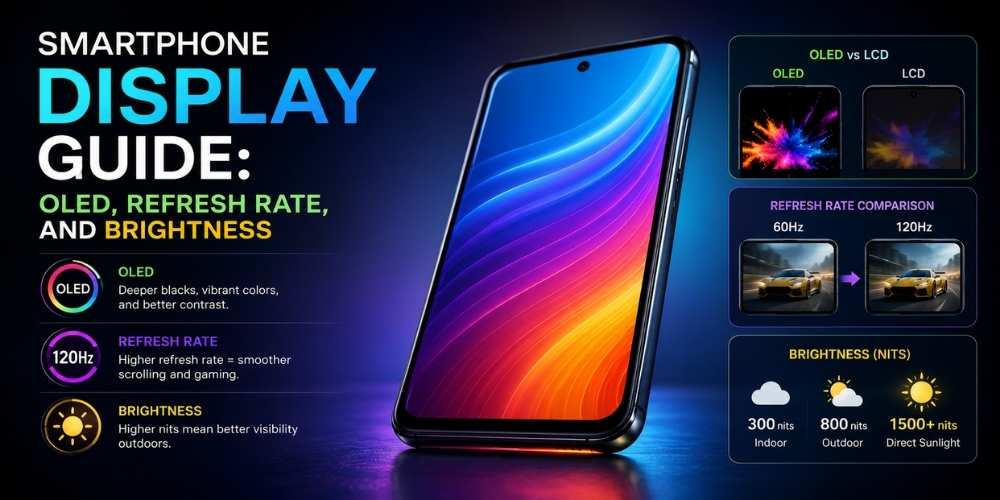
Smartphone Display Guide: OLED, Refresh Rate, and Brightness
Understand smartphone displays, including OLED, refresh rate, brightness, resolution, touch response, eye comfort, and outdoor visibility.
Key Takeaways
- Outdoor visibility is more useful than extreme peak claims.
- High refresh rates improve smoothness but can use more power.
- OLED and LCD can both be good depending on implementation.
- Test comfort at both high and low brightness.
OLED and LCD
OLED displays can deliver deep blacks and high contrast because individual pixels emit light.
LCD panels can still provide excellent color and value, especially in lower-priced devices.
Refresh Rate
Higher refresh rates can make scrolling and animation appear smoother.
Adaptive refresh systems can reduce power use by lowering the rate when motion is limited.
Brightness
Peak brightness figures are difficult to compare because testing conditions differ.
Look for strong outdoor visibility and stable brightness during extended use.
Resolution and Pixel Density
Very high resolution can improve sharpness, but the benefit decreases on smaller screens.
Panel quality, scaling, and content often matter more than the largest number.
Touch and Eye Comfort
Touch sampling affects responsiveness, especially in games.
Flicker control, color temperature, and reading modes may improve comfort for sensitive users.
How to Test a Display
Check the screen outdoors, at low brightness, and while scrolling text.
Look for natural colors, readable shadows, even brightness, and comfortable viewing angles.
Practical Buying Checklist
- Define the main problem you want to solve.
- Set a realistic budget including accessories and service costs.
- Compare independent tests instead of relying only on advertising.
- Check warranty, update policy, repair options, and return terms.
- Choose the product or workflow that is easiest to use consistently.
Frequently Asked Questions
Is 120 Hz necessary?
No, but many users appreciate the smoother feel. A well-tuned 60 or 90 Hz display can still be enjoyable.
Does OLED save battery?
It can save power with dark content, but overall efficiency depends on brightness and usage.
What is the best smartphone resolution?
A sharp, well-calibrated display is more important than chasing the highest resolution number.
Make Smarter Technology Decisions
Explore more practical buying guides, reviews, security tips, and technology explainers from HoverProTech.
Browse Latest Guides
Ethan Walker is a technology writer at HoverProTech with a passion for smartphones, AI, laptops, software, and consumer electronics. He specializes in product reviews, buying guides, and technology news, helping readers stay informed with accurate, practical, and easy-to-understand content.