
Essential Cybersecurity Tips for Home Users
Protect your accounts and devices with practical cybersecurity tips covering updates, passwords, backups, phishing, Wi-Fi, and recovery planning.
Key Takeaways
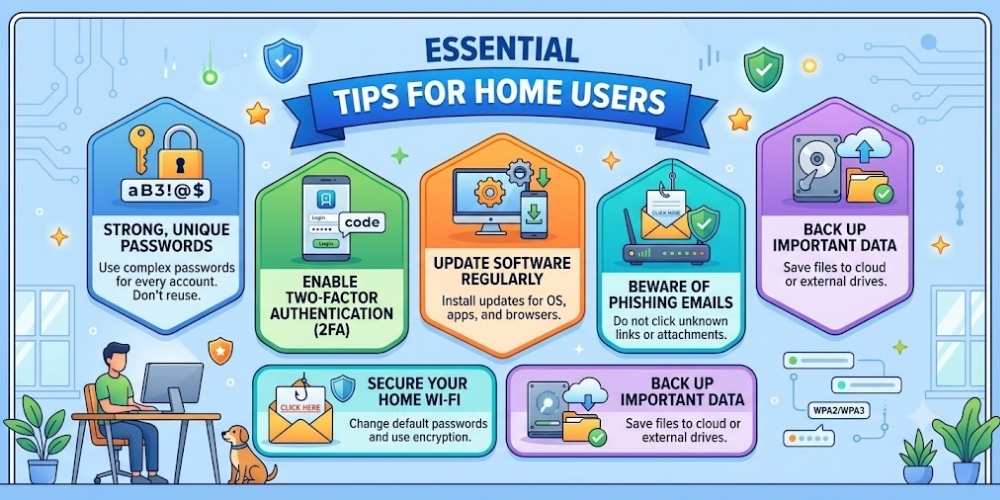
- Use unique passwords and multi-factor authentication.
- Keep software and routers updated.
- Treat urgent messages and links cautiously.
- Maintain tested backups.
Use Unique Passwords
Reused passwords allow one breach to affect multiple accounts.
Use a password manager to create and store unique credentials.
Enable Multi-Factor Authentication
Multi-factor authentication adds another barrier when a password is stolen.
Authenticator apps or security keys are generally stronger than SMS where supported.
Install Updates Promptly
Updates often repair security vulnerabilities and reliability issues.
Enable automatic updates for operating systems, browsers, apps, and network equipment.
Recognize Phishing
Be cautious with urgent messages, unexpected attachments, login links, and payment requests.
Open important services through bookmarks or official apps rather than message links.
Back Up Important Data
Use at least one backup that is separate from the main device.
Test recovery before an emergency occurs.
Secure Home Wi-Fi
Change default router credentials, use modern encryption, and install firmware updates.
Create a guest network for visitors and untrusted smart devices when practical.
Practical Buying Checklist
- Define the main problem you want to solve.
- Set a realistic budget including accessories and service costs.
- Compare independent tests instead of relying only on advertising.
- Check warranty, update policy, repair options, and return terms.
- Choose the product or workflow that is easiest to use consistently.
Frequently Asked Questions
What is the most important security step?
Using unique passwords with multi-factor authentication provides major protection against account takeover.
How often should I back up files?
Back up often enough that losing data since the last backup would be acceptable.
Is antivirus enough?
No. Updates, safe browsing, strong authentication, backups, and phishing awareness are also essential.
Make Smarter Technology Decisions
Explore more practical buying guides, reviews, security tips, and technology explainers from HoverProTech.
Browse Latest Guides
Ethan Walker is a technology writer at HoverProTech with a passion for smartphones, AI, laptops, software, and consumer electronics. He specializes in product reviews, buying guides, and technology news, helping readers stay informed with accurate, practical, and easy-to-understand content.