
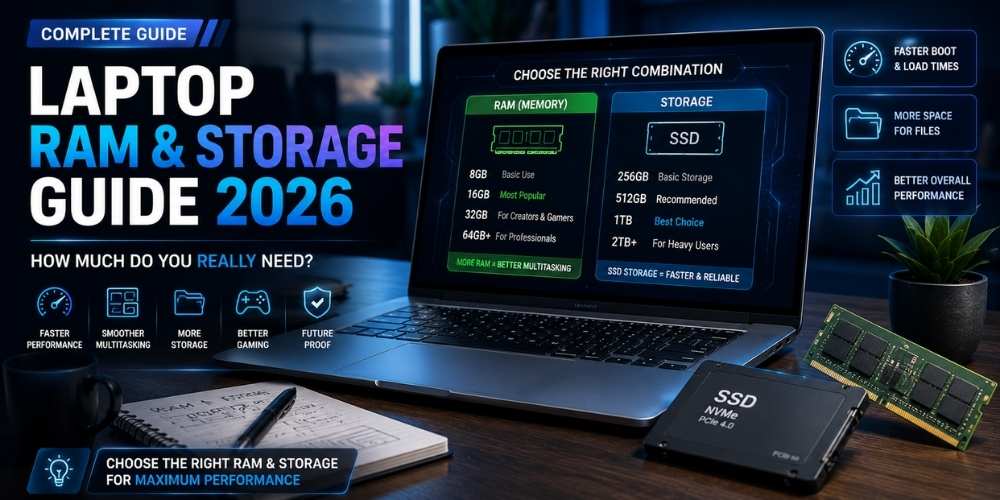
How Much RAM and Storage Do You Need in a Laptop?
Learn how much laptop RAM and storage you need for office work, study, coding, gaming, content creation, and long-term use.
Key Takeaways
- 16 GB RAM is a strong baseline for general use.
- Choose more memory for heavy multitasking or creative work.
- 512 GB storage suits many users; 1 TB is better for large files.
- Check whether components can be upgraded.
RAM and Storage Serve Different Purposes
RAM holds active work, while storage keeps files, applications, and the operating system.
More RAM improves multitasking; faster storage improves loading and file access.
Everyday Use
For browsing, documents, streaming, and video calls, 16 GB of RAM is a comfortable modern target.
A 512 GB solid-state drive gives many users enough room for applications and personal files.
Creative and Technical Work
Photo editing, software development, large datasets, virtual machines, and video production can benefit from 32 GB or more.
Project files can grow quickly, so creators should consider 1 TB or external storage.
Gaming
Many games run well with 16 GB, but background applications and future titles may justify 32 GB.
Game libraries can consume hundreds of gigabytes, making storage expansion important.
Upgradeability
Some laptops allow memory and storage upgrades, while others solder components to the board.
Check the service manual before purchase and price the configuration you may need later.
Cloud and External Storage
Cloud storage is useful for backup and synchronization, but it does not fully replace local capacity.
External drives are ideal for archives, media, and backup, but active projects benefit from fast internal storage.
Practical Buying Checklist
- Define the main problem you want to solve.
- Set a realistic budget including accessories and service costs.
- Compare independent tests instead of relying only on advertising.
- Check warranty, update policy, repair options, and return terms.
- Choose the product or workflow that is easiest to use consistently.
Frequently Asked Questions
Is 8 GB RAM still enough?
It can handle light use, but 16 GB offers better multitasking and long-term comfort.
Is 32 GB overkill?
Not for heavy creative work, virtual machines, large development environments, or demanding multitasking.
Should I choose cloud storage instead of a larger SSD?
Use cloud storage for synchronization and backup, but keep enough local space for applications and active files.
Make Smarter Technology Decisions
Explore more practical buying guides, reviews, security tips, and technology explainers from HoverProTech.
Browse Latest Guides
Ethan Walker is a technology writer at HoverProTech with a passion for smartphones, AI, laptops, software, and consumer electronics. He specializes in product reviews, buying guides, and technology news, helping readers stay informed with accurate, practical, and easy-to-understand content.